Reality Systems

HVAC · Plumbing · Windows · Inspections

Finish the call.
Keep the details.

Equipment tags. Service notes. A record the office can use.

Equipment tags, technician notes, opening measurements and inspection findings belong with the right job. I configure practical AI workflows to organize the source material and prepare a draft your team checks before it goes out.

Free 20-minute consultation.
(425) 375-7793 · Leave a message. I’ll call you personally.

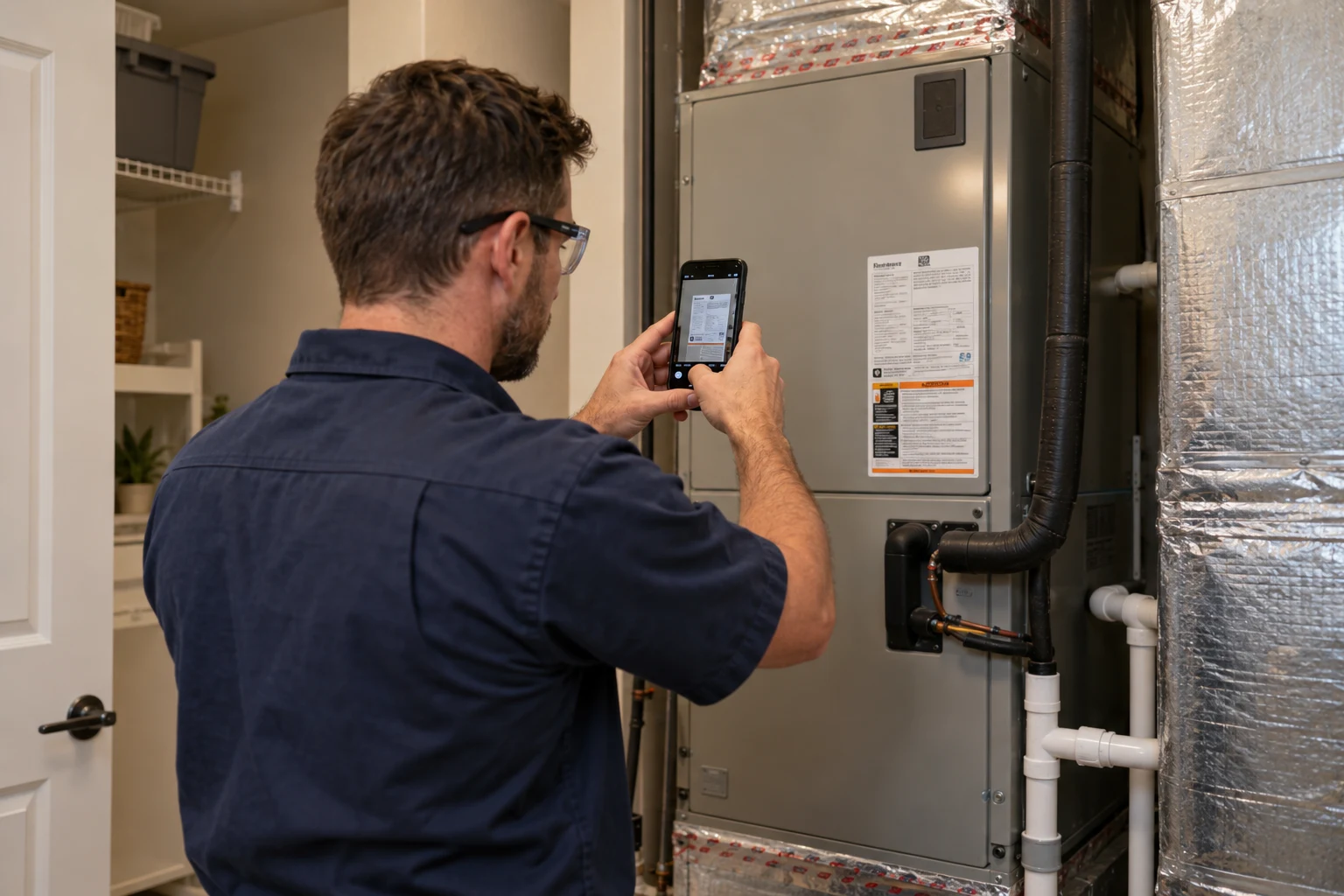
Illustrative HVAC technician photographing an equipment label in a residential utility room; AI-generated illustration
From the field to a reviewed record
AI-generated illustration. Not a client project.
01 / Capture

Photos + field notes + source records

02 / Organize

Job + location + scope + review status

03 / Review

Draft records + missing items + named reviewer

Illustrative workflow · Fictional job data · Not a live product

Source records → Draft → Responsible reviewer

The service call,
ready for office review.

A workflow to build and test with your team. The draft uses the field note and source references. It flags what still needs an answer.

INPUT / ORIGINAL FIELD NOTE

Cedar Court / Unit 204 / mechanical closet / Oct 9. Filter replaced. Prior service records not available.

Tag transcriptionAsset AHU-204 / Model EXAMPLE-AHU-24 / Serial unreadable.

Work order 1048Cedar Court / Unit 204 / mechanical closet.

REVIEW / OFFICE & TECHNICIAN

Verify the tag transcription. Add a readable serial photo. Confirm the service entry before the summary is issued.

The equipment tag, service entry and warranty status require separate verification.

SERVICE-CALL RECORDDRAFT

Cedar Court · Unit 204

Equipment service

Mechanical closet · Work order 1048

Work order
1048 · Cedar Court · Unit 204
Mechanical closet
Equipment
AHU-204 · EXAMPLE-AHU-24
Verify model against tag
Serial
Unreadable · New photo needed
Reported work
Filter replaced
Service history
Not available
Warranty
Not verified

Needs review · Verify equipment record

Fictional source data for illustration. No diagnosis, approval or completion status inferred.

Use what you already have

Your job files.
Your forms. Your crew.

Already using CompanyCam, JobTread or a field-service app? I start with what you have and fix the steps that still mean another call, another text or another round of typing.

That may mean configuring an existing feature, organizing a template or helping the team use it consistently. Your plan, access and permissions determine what can be connected.

From the field record to the office

Built around the work
on your schedule.

Use the records your crew and subcontractors already collect. Keep the job, location, scope and review status attached to the draft.

01

HVAC service

Keep the equipment record with the service call.

The office needs the asset, the location and what the technician actually found.

See the job records

Source materialModel and serial from the tag, equipment location, available history and technician findings.

Draft for reviewA draft service summary or estimate-support record. Unreadable tags and unavailable history stay flagged.

Your technician verifies the tag transcription, technical findings and service entry. No diagnosis or warranty coverage is inferred.

02

Plumbing

Record the rough-in before drywall.

Keep fixture locations and reported test results with the photos taken while the piping is visible.

See the job records

Source materialBuilding, unit, room, wall, rough-in photos, plumber-reported test results and repair notes.

Draft for reviewA photo index and draft job record that preserve what the plumber documented.

Your plumber confirms the work and reported tests. Photos do not establish code compliance or concealed conditions.

03

Window installation

Keep each opening tied to the window schedule.

The estimate, order and install record need to refer to the same opening and specified product.

See the job records

Source materialField-verified rough-opening dimensions, opening ID, window schedule, site conditions and specified manufacturer instructions.

Draft for reviewA draft estimate-support or handover packet, with missing dimensions and product documents flagged.

Measurements come from the field. The installer verifies the specified product, instructions and installation decisions.

04

Inspections

Build the report around the inspector’s findings.

Keep the location, observation, limitation and recommendation together so the report can be checked.

See the job records

Source materialInspector-entered observations, location-tagged photos, stated limitations and inspector-provided recommendations.

Draft for reviewA report draft that keeps uninspected areas and missing information visible.

The inspector checks wording, limitations and recommendations and retains responsibility for the report.

Outputs are drafts. Field measurements, technical findings, change approvals and signoff stay with the responsible people. Photos do not establish hidden conditions, equipment safety or code compliance.

A small, testable first step

One practical improvement.
Tested with your team.

I start with your current phones, forms and job software. Together, we agree who captures, who checks and what happens when something is missing.

  1. 01

    Show me where work gets stuck

    Walk a real job using your forms, photos, email and current job software. Identify which record the next person needs and what is missing.

  2. 02

    Build one practical improvement

    Configure the existing tools, document templates and review steps for one job record. Keep unclear source details and missing items visible.

  3. 03

    Test it with your team

    Test actual permitted examples with the people who create and review the records. Train the team, count correction time and agree a fallback.

Free assessment · No signup

What could a better
workflow give back?

Choose one task. Enter the time it takes today, then explore your own improvement assumptions. See weekly hours and a dollar estimate when you know the costs.

The interactive assessment is loading.

Use the printable one-task worksheet if the calculator does not load.

Your answers stay in this page. No contact details, account or confidential records are needed. Reloading clears your answers; download your result to keep it. These scenarios are estimates, not measured customer savings.

Open the trades workflow assessment on its own page ↗

Choose the next decision

Start with fit.
Commit with clarity.

The free 20-minute conversation helps us decide whether an assessment is a sensible next step. Implementation is a separate decision.

First paid decision

Business Opportunity Assessment

Examine one operating process, its current baseline and the options for a useful first project.

Scoped implementation

First Working System

Put one bounded task into practice with agreed review, test cases and operator handoff.

Scoped implementation

Construction / Connected Operations

Scope a connected operational process with specified systems, human approvals and recovery paths.

Optional ongoing guidance

AI Champion Advisory

One team. One active task. Up to 12 all-in service hours per month, including meetings, preparation, reviews, support and documentation.

Choose one track

Internal Champion Mentoring
Help one named employee develop judgment and confidence using the agreed tools.

Fractional AI Lead
Provide practical direction alongside a named client counterpart and sponsor.

New builds, integrations, production engineering and daily queue work require separate scope. Monthly boundaries, billing and cancellation are agreed in writing.

Exact scope and commercial terms are agreed privately before work. Applicable taxes, approved travel, hardware, vendor subscriptions and usage costs are separate. Future implementation scopes can include up to four hours of basic handoff for a primary operator and backup. Existing agreements keep their terms.

A useful place to begin

One task.
A guide you can use.

Original prompts, illustrative examples and printable working pages. Free to read and download, with no signup.

Meet your builder

Your AI ambassador.
A hands-on partner.

Clark Morgan
Reality Systems

Clark Morgan brings technical leadership experience from AWS, Matterport, and Starbucks, alongside hands-on business and operations expertise across small and midsize companies. He learns how your business works, speaks your team’s language, and turns that context into practical AI systems people can confidently use.

My work includes teaching construction technology and BIM. I help construction businesses choose and configure tools, test them on real job records and put them into day-to-day use.

I work independently, with a named owner on your side and a defined task we can review together.

Talk through one task

Read my professional bio · Explore my work & projects

See the idea

A request.
A review.
A next step.

This 26-second illustration follows a fictional service inquiry. A person reviews the draft, sends the message and schedules the work.

Synthetic examples. Client setup and testing required. The illustration does not demonstrate a connected customer system or a measured result.

Try the free time and cost assessment

Silent illustration with captions. Press play to watch.

Before we talk

A few useful
questions.

Can I keep the software I already use?

Yes. I check the tools and features you already have before recommending a new system. A simpler process or existing feature may be enough.

What can AI help with?

AI can organize details, prepare drafts and flag missing information within an agreed task. People review external messages, financial commitments and consequential decisions. The written scope sets those boundaries.

How do we know whether the change is worthwhile?

I compare a client-specific baseline with the whole new task, including setup, running costs, human review and repair. Recovered capacity does not automatically become cash savings.

What should I bring to the first conversation?

Describe the job record that keeps coming back incomplete: a rough-in photo log, service report, extra-work ticket, punch list or closeout package. Tell me who creates it, who checks it and which tools you use. Keep customer photos and private records out of the first inquiry. The free fit conversation lasts 20 minutes.

Which AI tools do you work with?

I use tools such as Muse for research, working drafts and prototype development. For your business, I start with the software you already use and choose the tools around the task, your permissions and the way your team reviews the work.

What needs human review in this setting?

Your team approves schedules, prices, customer messages and commitments. Qualified people retain diagnosis, equipment safety, engineering, permits and contract decisions. Live software connections and any external actions require their own agreed permissions, scope and testing.

One task is enough to start

Which job record keeps coming back incomplete?

Start with a free 20-minute fit conversation. I will help you decide whether an assessment is a sensible next step.

Talk through one task

(425) 375-7793
Leave a message. I'll call you personally.